Know when your homepage changes
A healthy scan tells you a lot. The site responds, the certificate is valid, DNS resolves, headers look right. What it cannot tell you is whether the words on the page are still your words. A defaced homepage can return a perfect 200 with a valid certificate and a clean bill of health on every other check.
But it could have been defaced by hackers and you may be promoting their content without knowing it.
Our new "content watch" feature closes that gap. It is opt-in per domain (always disabled by default, you have to enable it manually) and it comes with a proper settings dialog. Here is what shipped and how to use it.
What gets watched
Every scan of an enabled domain fingerprints the homepage text. Before hashing, we strip markup, scripts, styles, and comments, so cosmetic churn like reordered attributes or a new analytics snippet does not count as a change. Only the visible words matter.
A scan that cannot fetch the page never overwrites the baseline. If your site blocks us for an hour, the fingerprint from before the block stays the reference point, and the first good scan after it resumes is what gets compared.
You pick the sensitivity
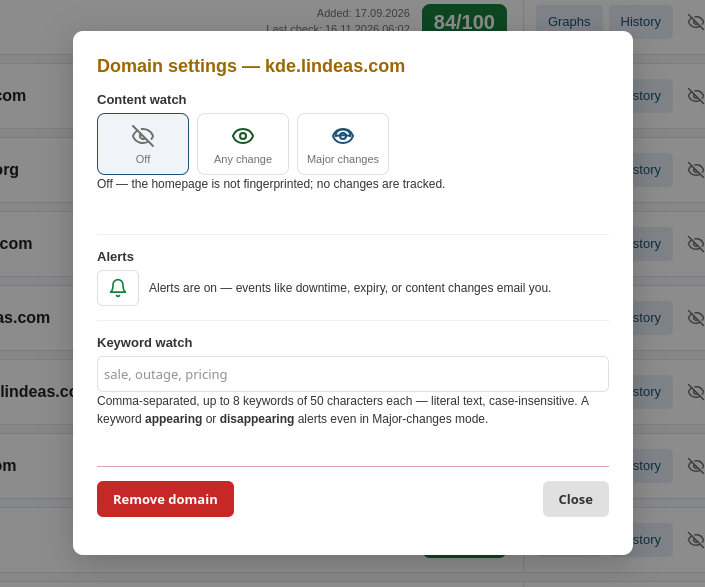
Content watch starts as "off" for every domain. We don't force that feature, it is your choice. Nothing is measured and nothing is emailed until you say so. Open the domain's settings and pick a mode:
- Any change emails you on every detected text edit. This suits static sites where the homepage should not move on its own.
- Major changes emails only on large drift or watched-keyword hits. This suits busy sites like blogs, news portals, and shops where the homepage legitimately changes frequently.
The first scan after you enable either mode sets a silent baseline. You will not get an alert for changes that happened before you opted in.
Watch for specific words
Paid plans can add up to eight watched keywords per domain. They are literal strings, matched case-insensitively against the page text, up to fifty characters each. Think "sale", "outage", or a longer phrase an attacker might remove or inject.
The useful part is transitions. The alert email reports which keywords appeared and which disappeared since the last measurement. In "Major changes" mode a keyword hit alerts even when the overall drift is small, which is the higher-signal half of the feature for spotting injected or removed content.
Yes, the feature allows you not only to watch for added bad words, but also for removed good original ones.
What you actually get
A detected change produces three things. An email, deduplicated to once per owner per day so a shared domain does not spam everyone. A row in the domain's "change history" page on paid plans, showing what the text moved from and to. And a notice on the result page while that change is still the latest measurement, so it cannot slip past someone who only ever sees the cached view.
There is a caveat to have in mind: this is a change signal, not proof of defacement. It tells you the site has changed, but it could all be legitimate and OK. New deploys, CMS updates, editing content, and other normal operations all trigger it too. The email and history tell you what moved; deciding whether it was you is still your job.
All your domain settings, one click away
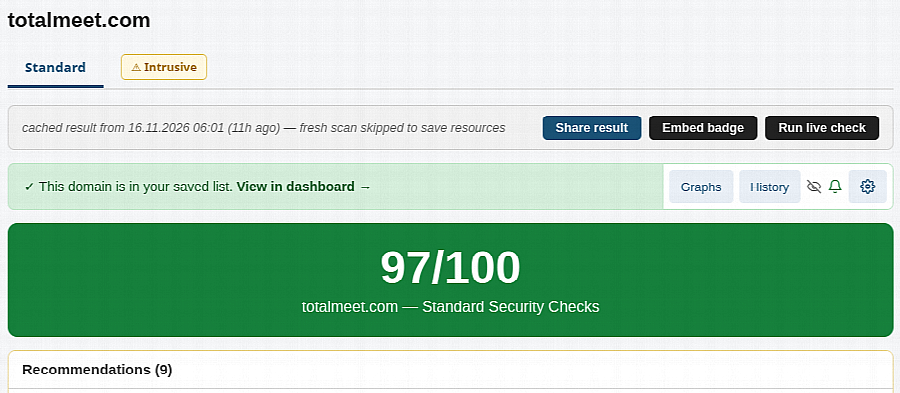
The gear icon on a dashboard row, on a saved result page, and on the change-history page now opens the same dialog. Content watch mode, watched keywords, the per-domain alert bell, and domain removal all live there. Changes save without a page reload, and the dialog shows the current state of your account's alert settings so a silenced bell is never a mystery.
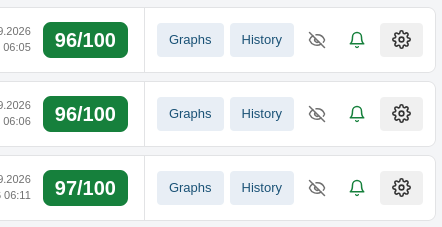
If JavaScript is off, the same settings exist as a standalone page. And if you only ever use the dashboard, nothing about the day-to-day flow changed. The gear is there when you want it.
The details, including plan gates and the exact matching rules, are in the content watch help section.